
4 Examples of Website Architecture That Nail UX and SEO
Google has been underscoring the importance of user experience (UX) for some time now. It makes sense. Websites that are designed for a good user experience make the internet better, and that’s Google’s bottom line.
But how does Google determine if visitors like using your site? Happy users, the thinking goes, equate to better website engagement metrics: visitors will view more web pages on your website and spend more time on each one. This signals to Google that your website is optimized for good search results, which can contribute to higher rankings in search engine results pages (SERPs) and overall improvement in search engine optimization (SEO).
What’s good for UX is good for SEO. (Most of the time.)
Site architecture sets the foundation for both UX and SEO, and it can be challenging to strike a balance between the two. Designers want clean websites that aren’t crowded by heavy drop-down menus. SEO strategists want to have numerous options for creating new pages to target niche topics and optimize them more effectively for search.
Check out four websites below that really nailed it in terms of both UX and SEO. Let’s get inspired!

1. GreyBeard Realty Site Architecture
Real estate is a notoriously competitive industry, especially in Asheville, NC (home to the second of Big Sea’s two HQs—the other is in Tampa, FL). In fact, we joke that you can’t throw a massage therapist without hitting a real estate agent!
Fierce competition is also evident in the digital sphere. To compete seriously, a real estate agency must fully leverage all marketing channels to their maximum potential, and SEO is no exception.
To maximize exposure in search results, a real estate website will want to create unique pages that target popular and niche real estate search criteria, like “Asheville homes with mountain views” or “horse properties for sale” (yes, that is a thing!).
Questions:
- How do you create all those search criteria pages without compromising your website’s architecture?
- How do you organize all the pages?
- How do you integrate them into your site without overwhelming visitors with excessive drop-downs?
GreyBeard Realty has found a killer solution. In their top-level navigation, they’ve included a direct path to their most popular searches, which is ideal for potential homebuyers who are entering the website through the homepage.
As you scroll down the homepage and any other page on the site, you come across a pretty extensive menu of links to additional popular or niche real estate search combinations.
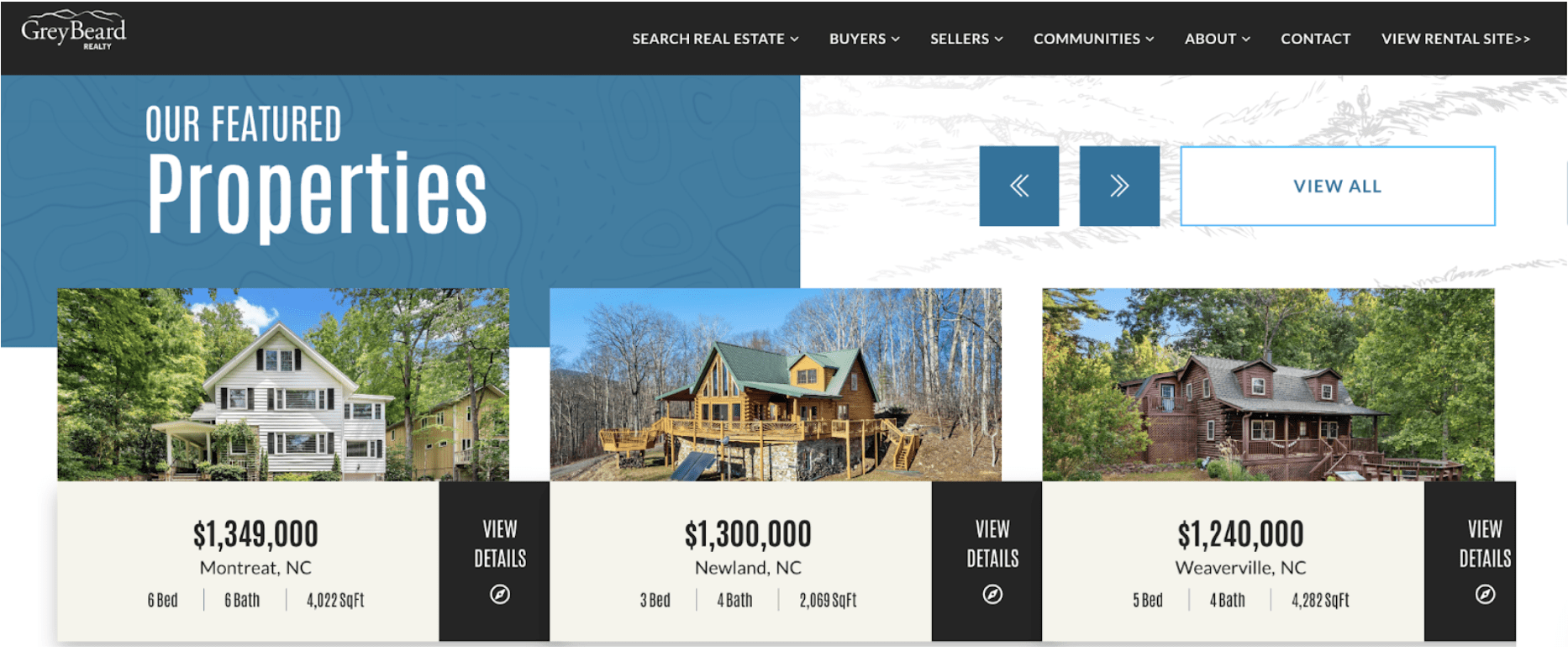 This strategy enables the creation of hundreds of new pages optimized for SEO. Now, someone searching for “equestrian properties for sale” will arrive at GreyBeard Realty’s Horse Properties page, which provides a better experience and result for that user’s intent.
SEO Takeaway
Instead of rooting all your links in your top-level drop-down menus, you can create interlinking menus toward the bottom of your website’s pages that make an anchor for building out hundreds of important pages that are vital to your SEO work. Just be sure your internal links are helpful, well-organized, and well-designed. This linking structure helps search engine crawlers discover and index your relevant content more efficiently.

2. Trakstar Site Architecture
Trakstar is a platform for creating and delivering online training courses. Their software boasts a range of desirable features that make online training easier. They also serve a variety of industries.
By considering their unique offerings and audiences, Trakstar was able to develop a straightforward navigation that works well for both UX and SEO. You’ll see they call their product features “solutions.” That language works very well for a potential customer, as they’re seeking solutions to a challenge they have—namely, how to deliver online training.
The industries section is fantastic for SEO, and it helps visitors arriving on the homepage find information about the online training platform that’s specific to their unique needs.

What we get is a straightforward top-level navigation and homepage that focuses on calls to action.
But surely there’s more information to share than what’s included in the simple top-level navigation? We know that for SEO, websites need to develop a substantial amount of content to establish authority and compete in search results. So where is it?
The footer!

Trakstar’s footer links to a whole array of educational resource content. In the footer, they’ve included some of their most competitive topics they want to rank for, like “mobile learning” and “what is an LMS.”
Once you click on a footer resource link, you are taken to a new page that’s essentially an article menu. The result is a very tidy architecture that still allows Trakstar to develop hundreds of educational articles that support their SEO efforts.
SEO Takeaway
Don’t forget your footer when considering website architecture. Is there a way you could make your top-level navigation simpler and link to content that is more SEO-focused in your site’s footer? This approach enhances crawlability while maintaining a clean and user-friendly design. Consider using an HTML sitemap in the footer to help both users and search engines easily find different pages.
3. Pratima Site Architecture
E-commerce sites have their own set of challenges. You need to organize your store by product lines and product categories that work for your brand, but you also want to create categories that speak to how potential customers search. How do you reconcile brand presentation with SEO considerations?
Pratima, an Ayurvedic skincare company, has the solution.
You’ll see they have kept their top-level navigation very simple. When you mouse over the top-level nav, you get a very well-organized mega menu. Product categories are organized simply and intuitively, which is excellent for website visitors.
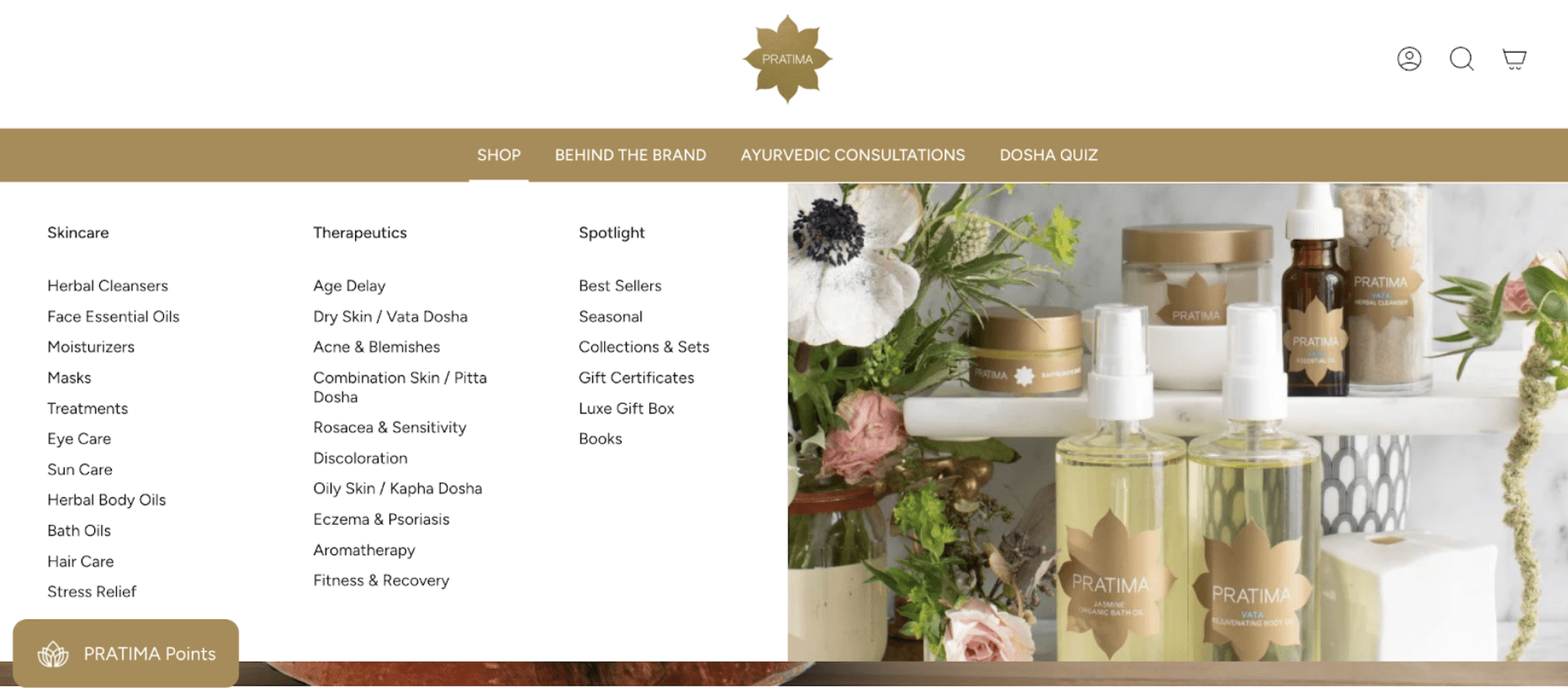
While some users may search for products using general terms like “ayurvedic eye care products,” many others will search by their unique concern, such as “stress relief.” Pratima’s architecture speaks to both.
SEO Takeaway
When developing product categories for your e-commerce site, ensure that you approach your categories from multiple vantage points or angles. Doing so will allow you to create useful user journey options for visitors arriving on your homepage and create new entry points to your site for users coming from Google search. This hierarchical structure helps organize your product pages into logical subcategories, improving both usability and SEO. Use descriptive anchor text and a clean URL structure to make your category pages easy for search engines to understand.
4. REI Site Architecture
REI, a top provider of outdoor gear, gets a gold medal for on-site SEO. I’m seriously super impressed with whoever pitched and sold their massive content development project. What REI did was create a huge new section of their site called “Expert Advice.” This new section is filled with thousands of articles covering nearly every question a potential consumer may have about outdoor gear and lifestyle.

The main Expert Advice page serves as a comprehensive menu of categories for educational content related to outdoor activities. It also creates the root links through which to build out content menus for each outdoor activity. This level of content architecture is incredible!
And it matters for SEO. Again, the outdoor gear industry is fierce. There are tons of competitors. If you want to compete in search results, you have to go the extra mile. REI realized that one way to earn new customers was to create content for people conducting general research, rather than only those ready to make an immediate purchase. Plus, it’s a lot harder to get top search results for a search like “camping tents” versus searches like “tent care basics.” And all those new educational articles create new doorways to the REI website, demonstrating their commitment to being more than a company selling products, but a resource for outdoor industry enthusiasts.
The results are clear. At this point, it’s hard to search any outdoor-gear-related question and not see REI at the top of the results.
And it all started with a content architecture plan.

SEO Takeaway
Create educational articles for your audiences and consider how best to incorporate that style of content into your website. If you plan to develop a substantial amount of new content over time for your website, you need a clear game plan. How can you best organize all the types of content and topics you plan on creating over time? Your architecture plan sets that foundation, so get out the drawing board!
Use wireframes and consider card sorting exercises to understand how users expect to find information. Implement an XML sitemap to help search engines discover your new content quickly. This step-by-step approach to information architecture ensures that your website content is both discoverable and valuable in support of your business goals.
Design Your Website Architecture with SEO in Mind
If you’re interested in reassessing your website architecture and making changes that support both SEO and UX, consider working with us at Big Sea. Our team specializes in creating user-friendly designs that improve crawlability, enhance your site structure, and help you rank higher in search engines.
Whether you’re a small business, a nonprofit, or a large enterprise, we can help you build a solid foundation with proper templates, redirects, and taxonomy that support your long-term digital success.
FAQs About Website Architecture
What Is the Architecture of a Website?
Website architecture refers to the structure and organization of your web pages. It includes your navigation menu, URL structure, internal links, and the hierarchical structure of your content. Good website architecture helps both users and search engines find information quickly, typically allowing access to any page within a limited number of clicks from the homepage.
What Are the 4 Types of Website Structure?
The four main types of website structure are:
- Hierarchical Structure: Content organized in parent-child relationships (most common)
- Sequential Structure: Linear progression from one page to the next (ideal for tutorials or processes)
- Matrix Structure: Multiple navigation paths allow users to choose their journey
- Database Structure: Content organized by attributes and filters (common for e-commerce sites)
Why Is Website Architecture Important for SEO?
Website architecture is crucial for SEO because it affects how search engine crawlers discover and index your content. A well-planned site structure with clear internal links, logical subcategories, and a clean URL structure helps search engines understand your content relationships. It also improves crawlability, reduces the number of clicks needed to reach important pages, and distributes page authority throughout your site. Additionally, breadcrumbs and HTML sitemaps enhance both user navigation and SEO performance.
What Is Responsive Website Design?
Responsive website design is an approach that makes web pages render well on various devices and screen sizes. Using HTML, CSS, and sometimes JavaScript, responsive design ensures your site provides an optimal user experience whether viewed on a desktop, tablet, or smartphone. This functionality is crucial for SEO, as search engines like Google prioritize mobile-friendly sites in their algorithms.
How Do I Create an Effective Website Architecture for My Site?
Creating effective website architecture starts with understanding your business goals and user needs. Begin with wireframes and card sorting exercises to map out your site structure. Use a website builder or content management system that supports good SEO practices. Implement clear main categories and logical subcategories, create an XML sitemap and HTML sitemap, use descriptive anchor text for internal links, and ensure your navigation menu allows users to reach any page within 3-4 clicks. For beginners, consider working with web development professionals or following a comprehensive tutorial to ensure you’re building a solid foundation.

How Does Website Architecture Impact User Navigation and Experience?
Good website architecture directly impacts user navigation by making it easy for visitors to find relevant content quickly. A clear linking structure, intuitive navigation menu, breadcrumbs, and logical organization of different pages all contribute to better usability. When users can easily navigate your site, they stay longer, view more pages, and are more likely to convert—all signals that tell search engines your site provides value.